


🎮 What is a Steam Code?
A redeem steam code is a digital or physical voucher that can be redeemed to add funds to your Steam account.
You can use a Steam code to:
- Buy games
- Purchase in-game items
- Unlock extra content
⚡ How to Redeem Steam Code
In order to activate your gift card on Steam, follow these steps:
- Download and set up the Steam app. Get it from this link.
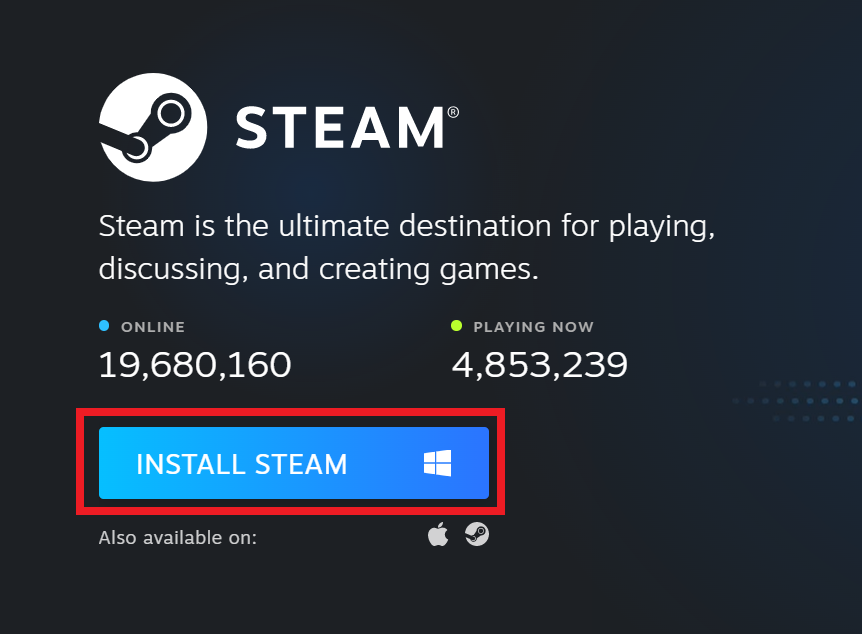
- Once the app is installed and opened, log in using your Steam credentials, then click on View my wallet from the drop-down menu, as illustrated in the image below.

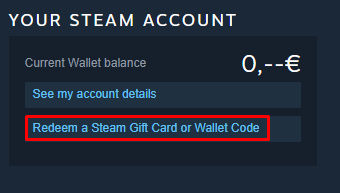
- When you reach the Wallet page, click on Redeem a Steam Gift Card or Wallet Code.
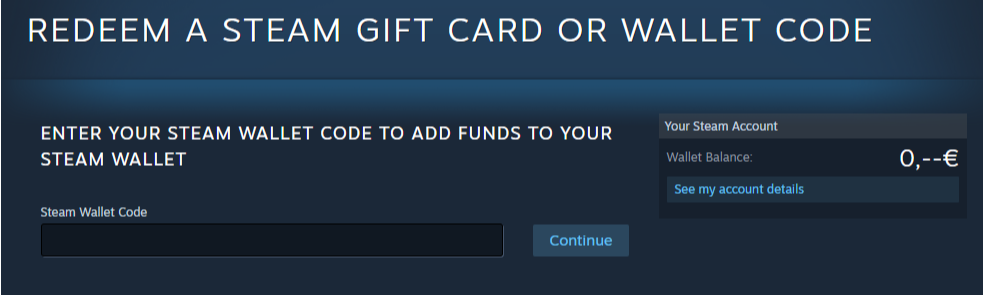
- Enter your activation code into the Steam Wallet Code field and then press Continue.
Check out amazing Steam gift card offers on getacodes.
🔥 FAQs
❓ How fast is a Steam code redeemed?
➡️ Instantly after entering the code
❓ Can a Steam code be used twice?
➡️ No, each Steam code can only be used once
❓ Is it safe to buy Steam codes online?
➡️ Yes, especially from trusted platforms like Getacodes to safely redeem Steam code






No comment